


Sometimes an order is shipped in multiple batches. Each batch may have its own tracking number and, in some cases, use different logistics providers. The steps below explain how to check the shipping status for each batch.
Step 1
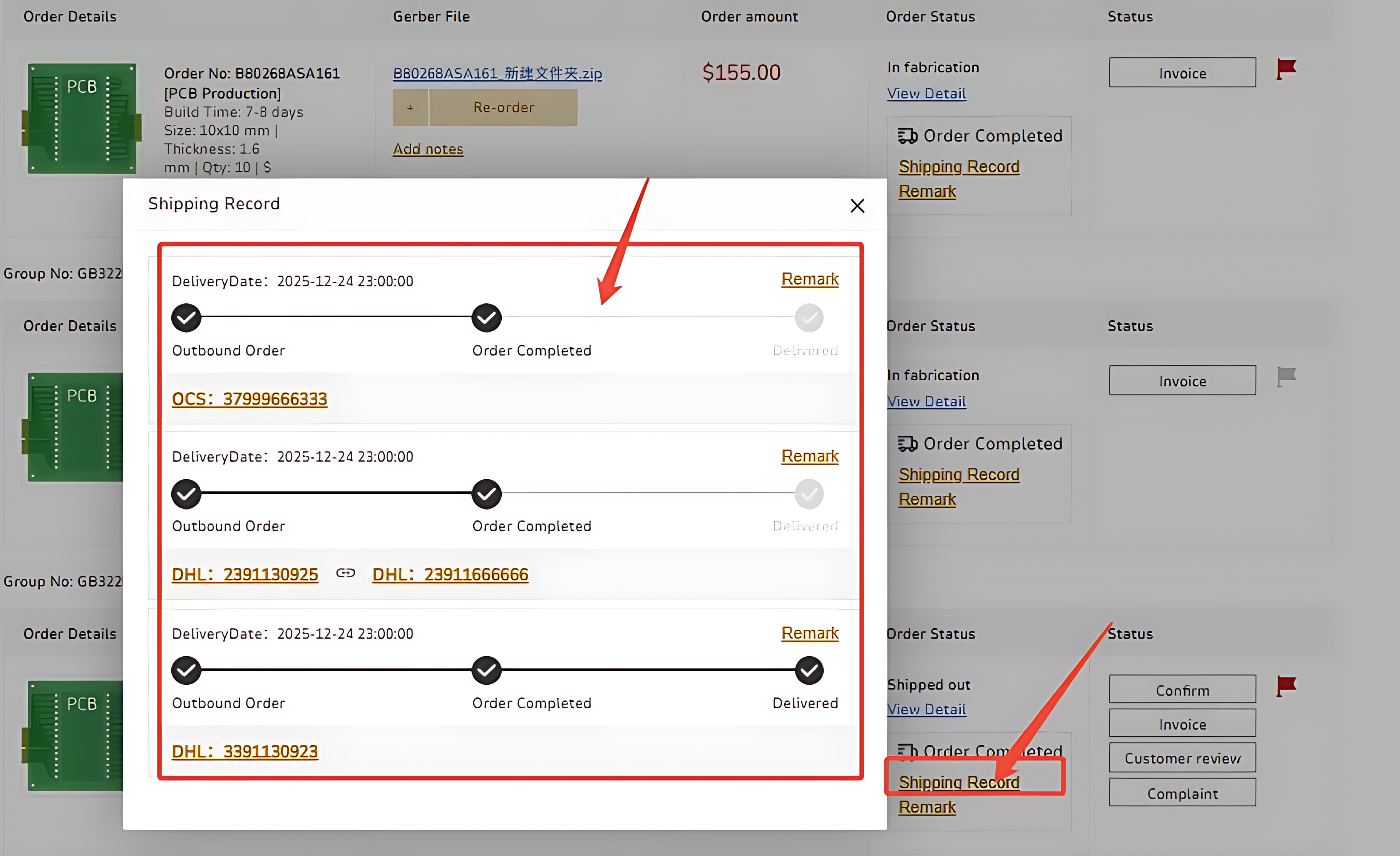
When an order is shipped in separate batches, each batch will generate its own tracking number.
To check this information, go to: Order History – Production Status / ALL. Find the order you want to review and click Shipping Record.
Step 2
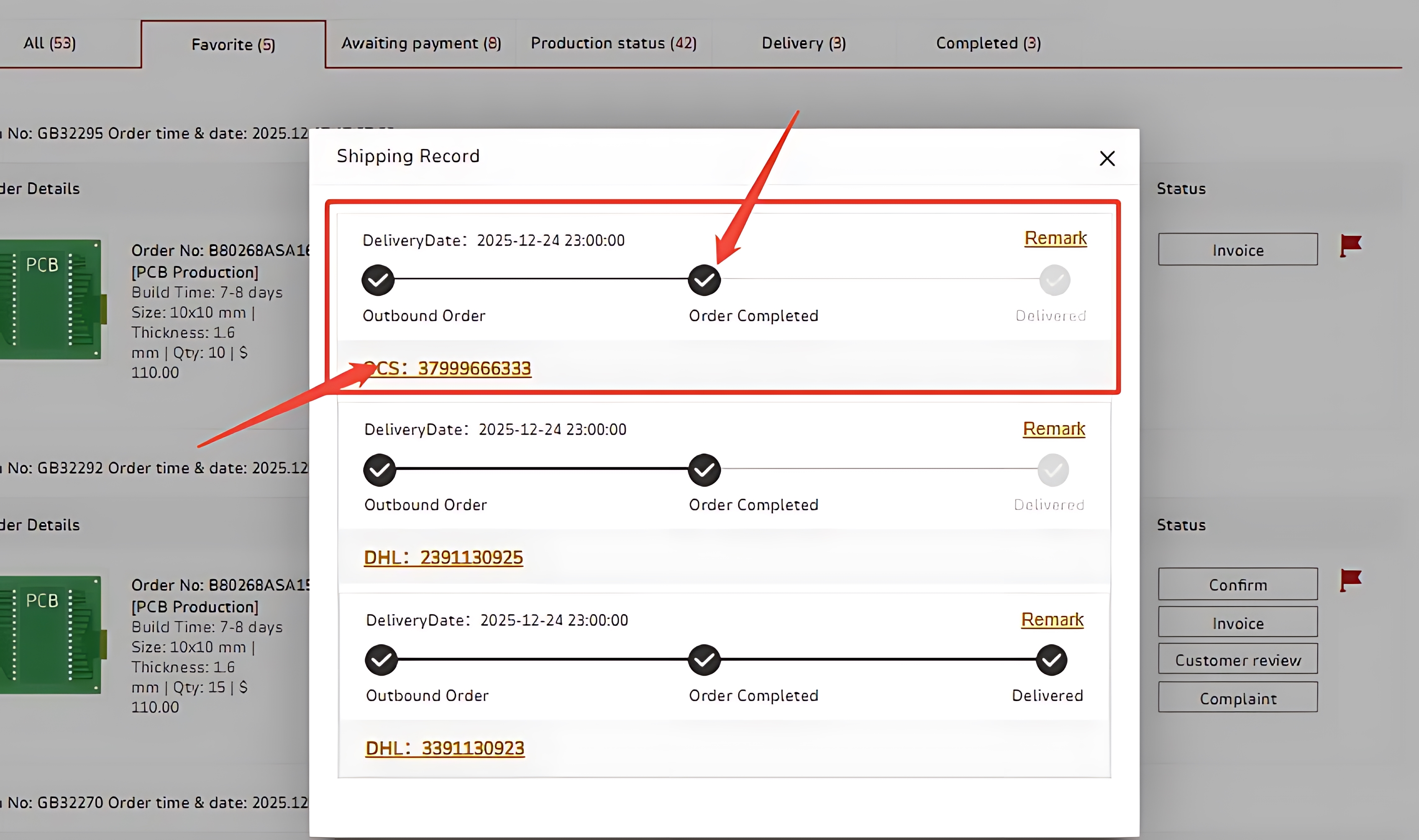
If multiple logistics providers are used for different batches, the system will update and display the corresponding carriers as well. For example, in the image below, three batches were shipped in total using two different logistics companies.

 日本語
日本語
 한국어
한국어

