


After your order is shipped, you can follow the delivery process through your account. The steps below explain where to find the tracking details and how to view the logistics updates.
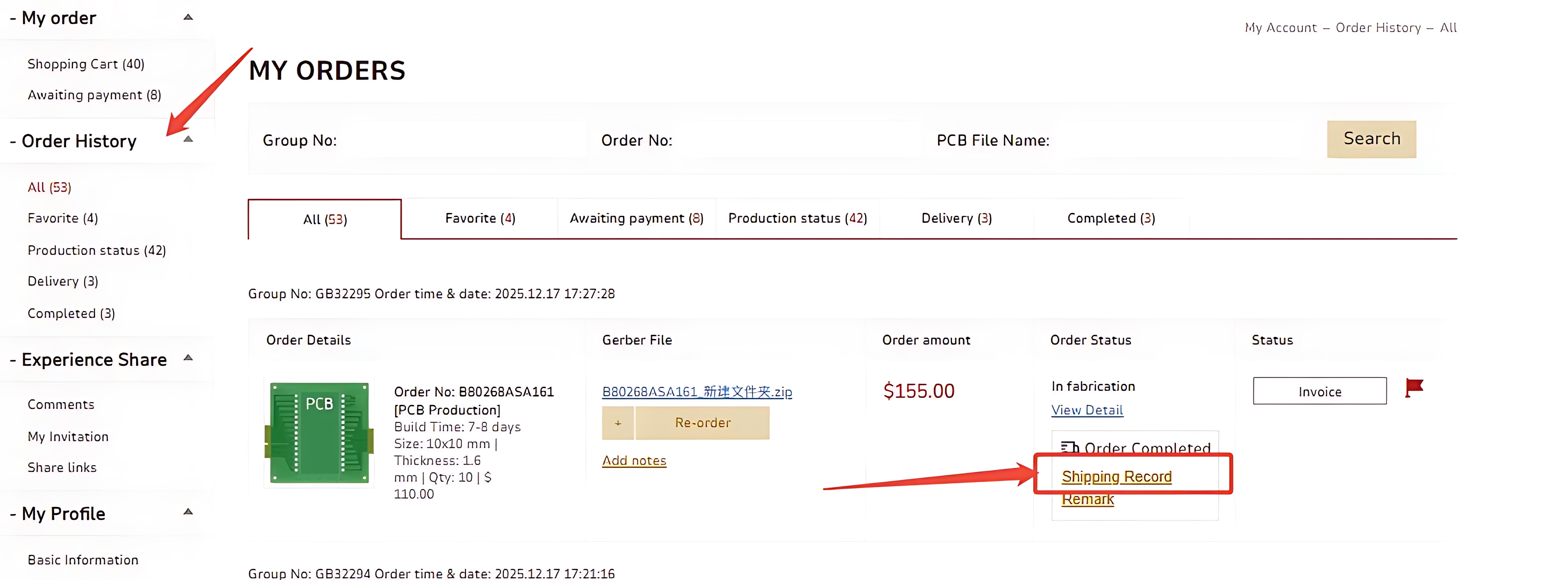
Enter your Account Center and go to "Order History" → "ALL" / "Production status".
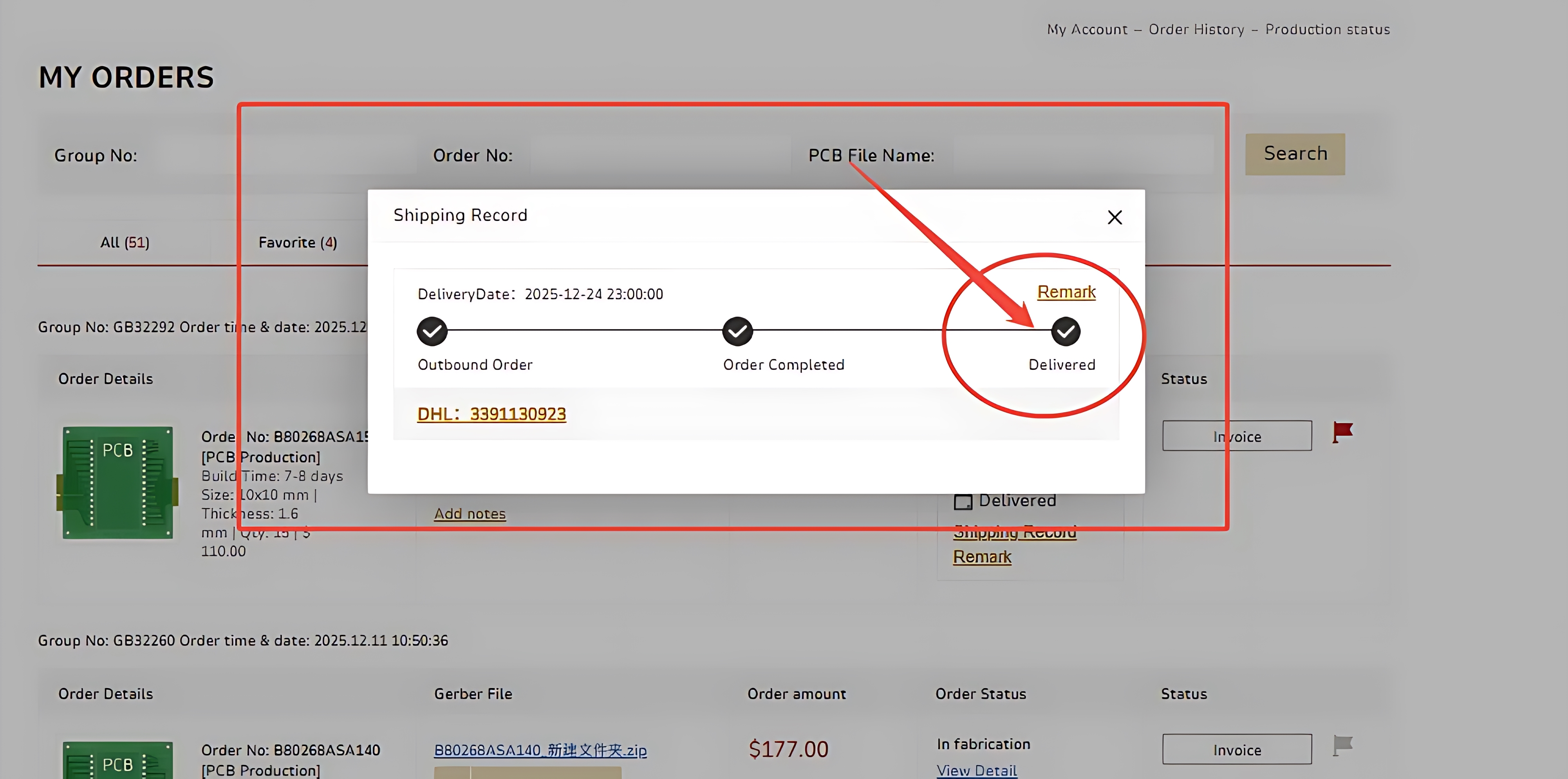
Find the order you want to check and click Shipping Record.
After selecting "Shipping Record", three different checkpoints will appear.
Each checkpoint represents a specific logistics stage. Click the "Remark" to see an explanation of what each status means.
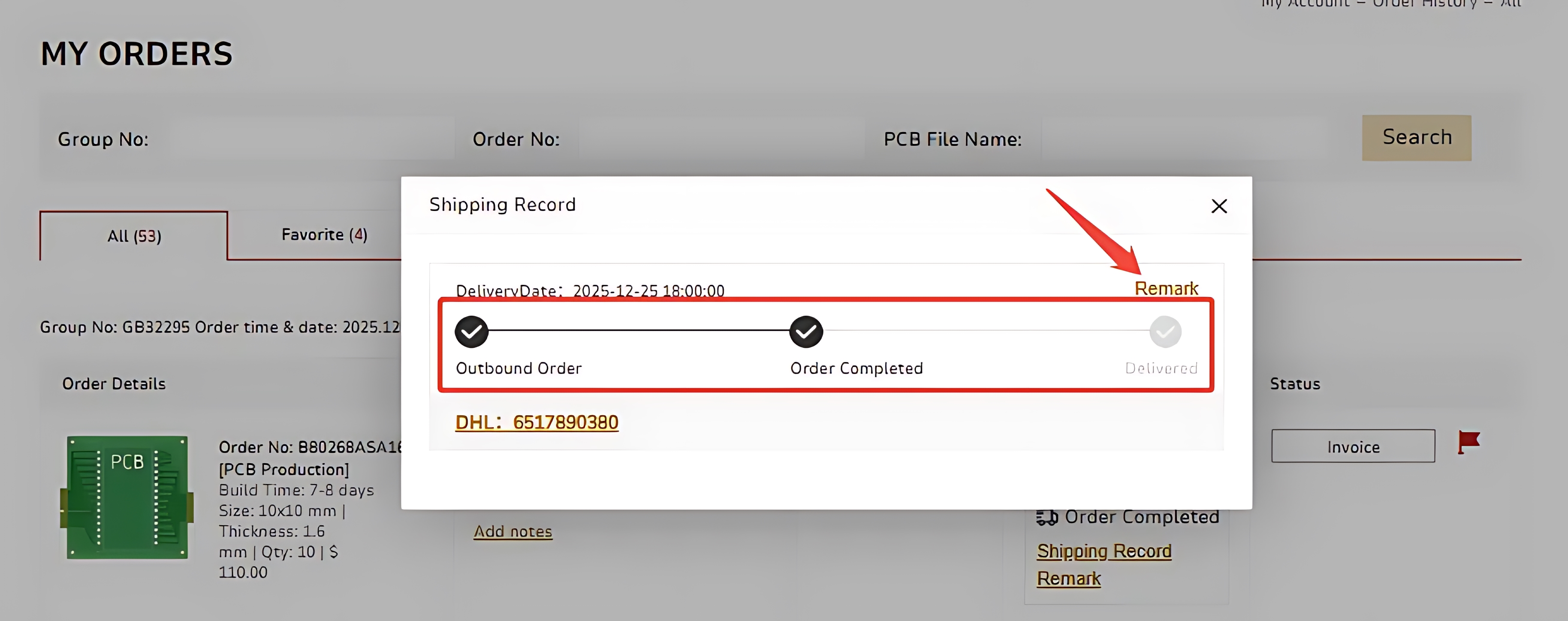
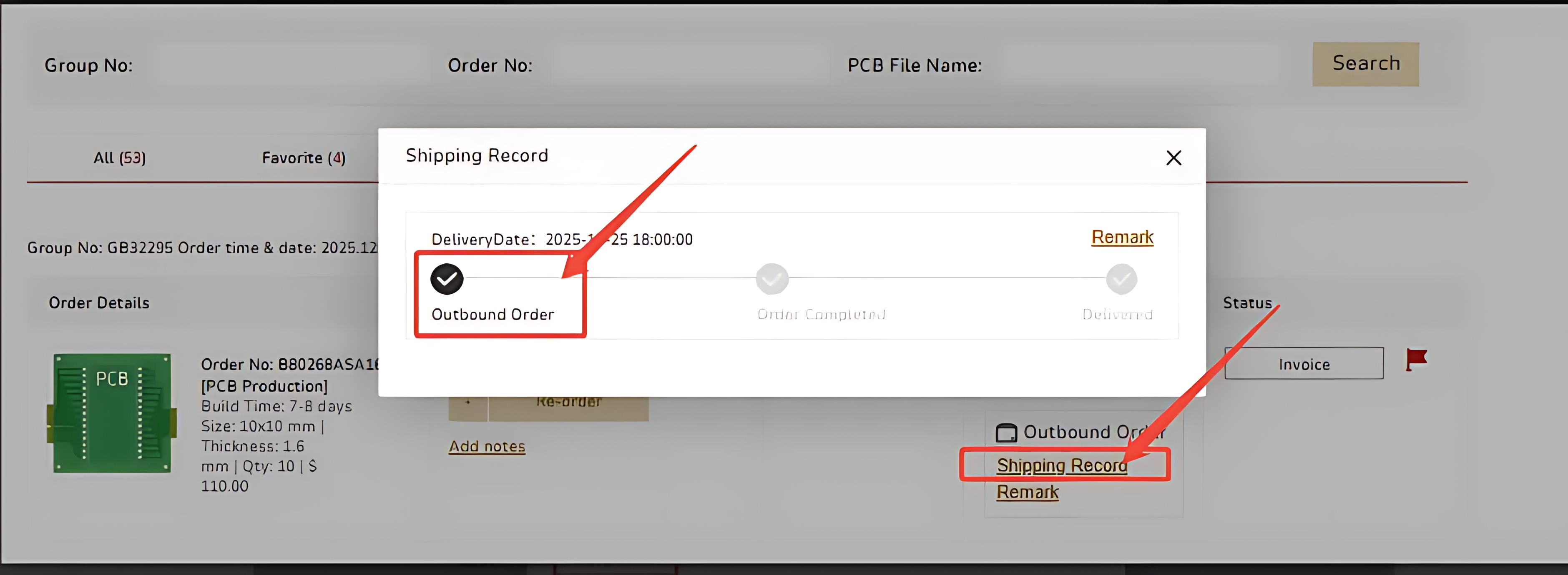
When you see the status "Outbound Order", it means the manufacturer has finished the warehouse processing step.
Please wait for the logistics information to update.
Once the status changes to “Order Completed”, you can click the tracking number shown in the lower left corner to check the shipping progress.
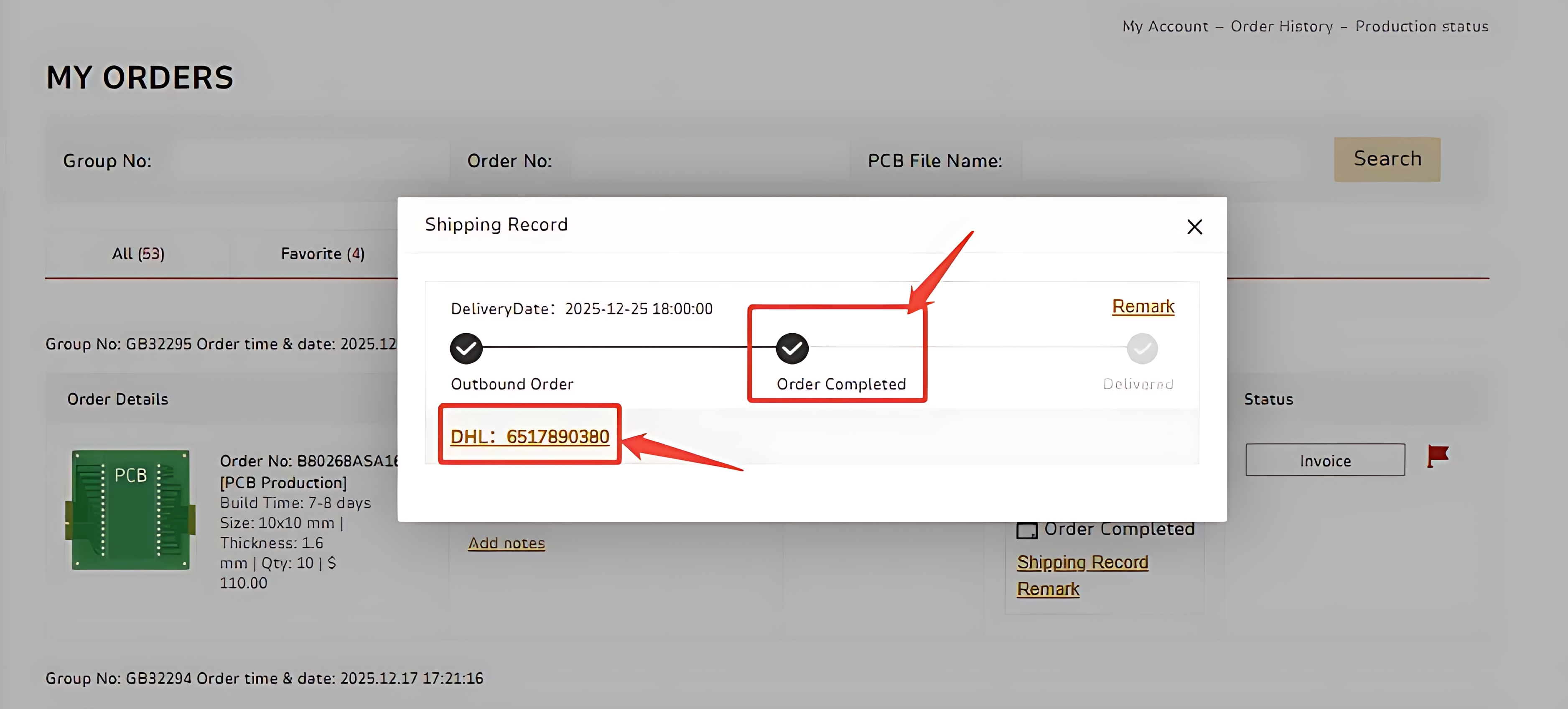
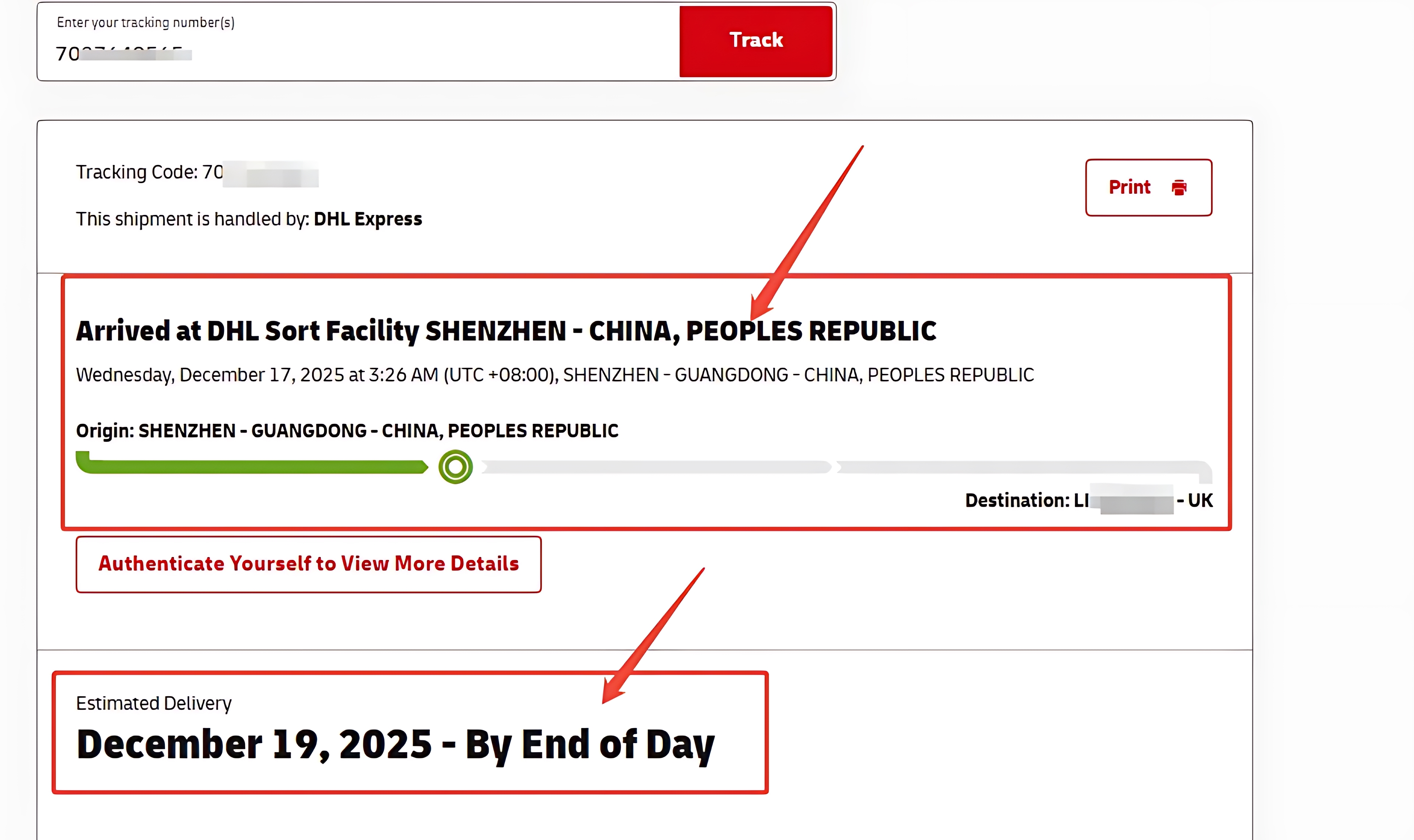
Clicking the tracking number will open the carrier's tracking page automatically. You can view the transportation route and current status on that page.
After the shipment has been successfully delivered and signed for, the shipping record will display "Delivered".
If there are any questions about your order delivery, contact us at service@pcbgogo.com freely.

 日本語
日本語
 한국어
한국어

