日本語
日本語
 한국어
한국어

What Is CNC? How a CAD File Becomes a Part That Fits
What Is CNC?
CNC stands for Computer Numerical Control. In manufacturing, it describes the automated control of a machine tool through programmed digital instructions. Instead of an operator turning handwheels for every cut, a controller tells the machine where to move, how fast to travel, when to change tools, and when to start or stop supporting functions such as coolant.
That concise definition answers the common questions "what is CNC?" and "what does CNC mean?" However, the practical CNC meaning is broader: it is a repeatable production system that connects a digital design to controlled physical motion. CNC equipment can cut, drill, mill, turn, route, grind, bend, or electrically erode material, depending on the machine. The technology does not eliminate skilled people; programmers, setup technicians, machinists, and inspectors still determine whether the process is safe, efficient, and capable of meeting the drawing.
What Is a CNC Machine?
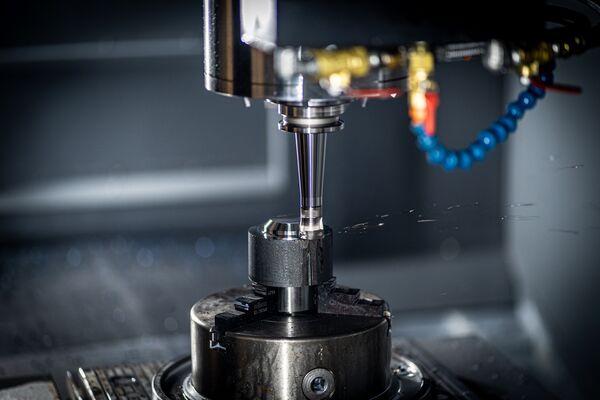
A CNC machine is a powered manufacturing machine fitted with a computerized controller, motion system, tooling, and workholding. It converts coded commands into coordinated movement along linear or rotary axes. Sensors and feedback devices may confirm position, speed, and machine status while the controller corrects motion in real time.
The machine's role is to execute a planned process consistently. A mill removes material with a rotating cutter; a lathe rotates the workpiece against a cutting tool; a router moves a spindle across sheet or block material. In each case, the controller makes programmed motion repeatable, while rigid fixturing, correct tooling, stable material, and inspection keep the finished part within specification.
How CNC Technology Is Used in Manufacturing
CNC technology supports subtractive machining, fabrication, finishing, and inspection. Manufacturers use it for one-off fixtures, functional prototypes, replacement parts, custom products, and high-volume components. It is particularly valuable when a job includes tight tolerances, repeated features, complex geometry, multiple operations, or a need to reproduce the same part months later.
CNC also links engineering and production. CAD models define geometry; CAM software plans toolpaths; simulation identifies potential collisions; the shop verifies the setup and runs the program; inspection data then confirms whether the process is under control. This digital thread makes design revisions easier to document and repeat than purely manual methods.
How CNC Machining Works
Most CNC machining follows six connected stages:
Create the design. An engineer builds a 2D drawing or 3D CAD model with dimensions, tolerances, material, and finish requirements.
Plan the process. CAM software converts geometry into toolpaths. The programmer selects tools, cutting strategies, spindle speeds, feed rates, depths of cut, and work coordinates.
Generate machine code. A post-processor translates the CAM plan into controller-specific G-code for motion and M-code for auxiliary actions such as coolant or tool changes.
Set up the machine. The machinist installs tooling, secures the stock, establishes reference points, checks offsets, and verifies that clamps will not obstruct the toolpath.
Prove out and run. Simulation, dry runs, and a first-article part help uncover errors before full production. The controller then executes the approved program cycle after cycle.
Inspect and improve. Operators measure critical features and surface finish, compensate for tool wear when appropriate, and record changes so later batches remain consistent.
Types of CNC Machines
Machine selection depends on part geometry, material, accuracy, size, and production volume. The most common types are compared below.
| Machine type | How it works | Best suited to |
|---|---|---|
| CNC mill | A rotating cutter moves around a fixed workpiece | Pockets, holes, flat faces, housings, brackets |
| CNC lathe | The workpiece rotates against a cutting tool | Shafts, bushings, threads, cylindrical parts |
| CNC router | A high-speed spindle travels over a larger work area | Wood, plastics, composites, sheet products |
| CNC laser/plasma | A focused beam or plasma arc cuts sheet | Profiles, panels, signs, fabricated metal parts |
| CNC EDM | Electrical discharge removes conductive material | Fine features, hard metals, deep or intricate cavities |
| Multi-axis CNC | Extra rotary axes approach several faces in one setup | Impellers, medical parts, aerospace geometry |
The Role and Advantages of CNC Machines in Production
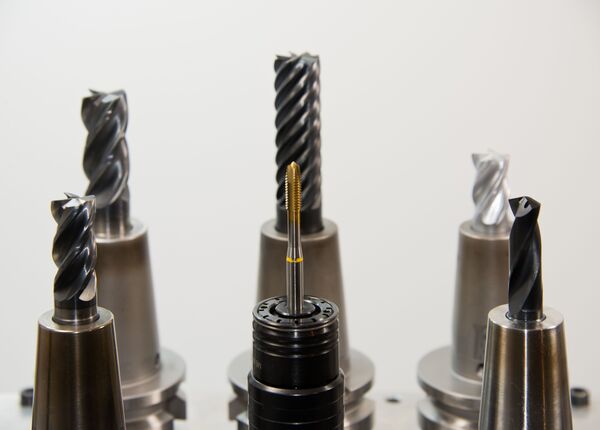
The central role of CNC is process control. When the design, program, setup, and tooling are correct, the machine can repeat the planned cycle with limited variation. That produces several business and engineering benefits:
Accuracy and repeatability: Controlled motion supports tight dimensions and consistent features across a batch.
Higher productivity: Automated cycles, tool changes, and unattended operation can increase machine utilization.
Complexity without manual repetition: Multi-axis toolpaths can produce contours and features that would be slow or impractical by hand.
Scalable output: The same approved program can make a prototype, a bridge-production batch, or recurring production parts.
Quality and traceability: Stored programs, offsets, inspection records, and setup instructions make the process easier to reproduce and audit.
Potential waste reduction: Simulation, optimized nesting, stable cycles, and early error detection can reduce scrap, although poor programming can still waste material.
CNC in Prototyping and Production
For prototyping, CNC machining can turn a CAD model into a functional part in the intended production material without waiting for dedicated molds. Engineers can test fit, strength, sealing surfaces, heat behavior, and assembly interfaces, then revise the file and machine another iteration. CNC is especially useful when realism matters more than the very lowest prototype cost.
For production, the value shifts toward repeatability and controlled cycle time. Once the process is validated, fixtures, tool lists, programs, and inspection plans can support hundreds or thousands of parts. CNC often suits low-to-medium volumes, high-value components, customization, and designs that change too frequently to justify hard tooling. At very high volumes, casting, molding, stamping, or forging may offer a lower unit cost, sometimes followed by CNC finishing on critical features.
Common CNC Applications Across Industries
CNC is used wherever geometry, consistency, or material performance matters. Typical applications include:
Aerospace: structural brackets, landing-gear components, turbine-related parts, and lightweight multi-axis housings.
Automotive and mobility: engine prototypes, transmission parts, suspension components, molds, jigs, and electric-vehicle enclosures.
Medical and dental: surgical instruments, implant trials, prosthetic components, device housings, and precision fixtures.
Electronics: heat sinks, chassis, connector features, semiconductor tooling, and small aluminum or plastic enclosures.
Industrial equipment: gears, rollers, valves, manifolds, shafts, replacement parts, and assembly tooling.
Energy, defense, and marine: durable components made from demanding alloys where reliability and documented quality are essential.
Consumer products and architecture: hardware, lighting components, sporting goods, furniture panels, signage, and custom decorative work.
Advantages and Limitations of CNC Technology
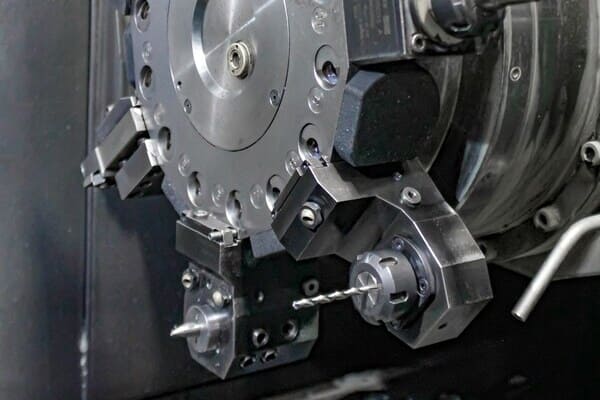
CNC is powerful, but it is not automatically the best process for every part. Its main strengths are precision, repeatability, flexible programming, complex geometry, and consistent production. Its limitations include machine cost, tooling and software expense, setup time, maintenance, energy use, and the need for experienced programmers and operators. CNC is also constrained by tool access: internal sharp corners are difficult with round cutters, deep cavities may cause deflection, and every additional setup can introduce time and variation.
Economics matter too. A single simple repair may be faster on a manual machine, while an extremely high-volume plastic part may be cheaper to mold. Material removal can create more waste than near-net-shape processes, although chips are often recyclable. The best decision considers annual volume, tolerance, geometry, material, lead time, inspection needs, and total cost, not CNC capability alone.
How to Decide Whether CNC Is Right for Your Part
Choose CNC when you need production-grade material, precise features, repeatable batches, complex machined geometry, or a fast route from digital design to a functional component. Before requesting a quote, provide a clean CAD file, a dimensioned drawing for critical requirements, material and finish specifications, target quantity, and realistic tolerances. Avoid applying tight tolerances to every surface; reserve them for features that affect fit, motion, sealing, or safety. A capable supplier should review manufacturability, tool access, workholding, inspection, and cost drivers before production begins.
How PCBgogo Supports Your CNC Machining Needs
At PCBgogo, we help engineers, product developers, and businesses turn digital designs into reliable, production-ready parts.
Our CNC machining services provide:
Fast turnaround for prototypes and time-sensitive projects.
Custom components manufactured to your exact specifications.
Precision machining for a wide range of metals and engineering plastics.
Professional support from design review through final production.
Flexible quantities for one-off prototypes, low-volume runs, and larger orders.
Whether you are validating a new product or preparing for full-scale production, PCBgogo delivers the precision, consistency, and quality your project requires.
Need custom CNC-machined parts for your next project? PCBgogo is ready to help bring your design to life.
Conclusion
The clearest CNC meaning is computer-controlled manufacturing, but its real value is dependable translation from digital intent to physical parts. By coordinating design, programming, motion, tooling, and inspection, CNC machines deliver accuracy, repeatability, and flexibility across industries. Understanding both the benefits and the constraints helps engineers and buyers choose the right machine, specify parts intelligently, and decide when CNC machining is the most efficient route from prototype to production.
Frequently Asked Questions
What does CNC mean?
CNC means Computer Numerical Control. It refers to machines that use programmed digital instructions to control tool or workpiece movement instead of relying on continuous manual control.
What is CNC machining?
CNC machining is a manufacturing process in which a computer-controlled machine removes material with cutting tools to create a defined shape. Milling, turning, drilling, boring, routing, and grinding can all be CNC-controlled.
Is CNC the same as automation?
CNC is a form of automation, but it still requires human expertise. People design the part, plan the process, program and set up the machine, manage tooling, inspect results, and respond to wear or unexpected conditions.
Can CNC make both prototypes and production parts?
Yes. CNC can make one-off prototypes and repeat the same validated process for production. Its strongest fit is often functional prototypes, custom parts, and low-to-medium volumes where tooling flexibility matters.