日本語
日本語
 한국어
한국어

Turn Arduino Prototype Into PCB: A Practical Build Guide
QUICK ANSWER To turn an Arduino prototype into a PCB, capture the tested circuit as a schematic, choose parts and footprints that can actually be sourced and assembled, lay out power and signals for reliable operation, then run design checks and export a complete Gerber package. Validate the first boards before scaling production.
Introduction
A breadboard proves an idea; a printed circuit board makes it repeatable. The challenge is preserving the tested behavior while removing fragile jumpers and hidden bench assumptions.
This guide explains how to turn an Arduino prototype into a PCB and make an Arduino PCB power up, program correctly, and survive real use.
What Is Arduino
Arduino is an open-source ecosystem of programmable microcontroller boards, software tools, and libraries. A typical board combines the microcontroller with power regulation, clocking, reset, USB, and accessible I/O.
When you turn an Arduino prototype into a PCB, retain only the functions the product needs. A design programmed through an external header may omit USB while keeping the microcontroller, decoupling, clock, reset, and programming pins.
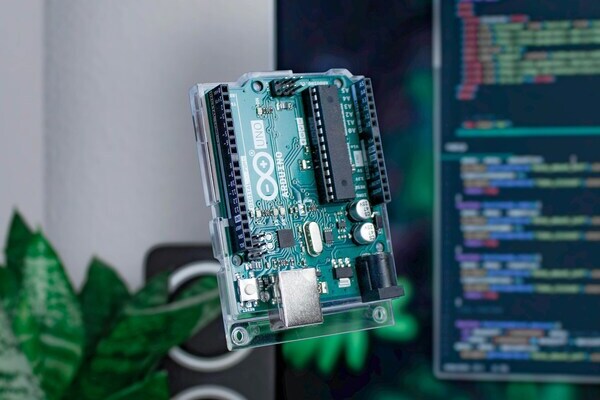
Arduino Components and Parts
An Arduino PCB must reproduce every circuit the microcontroller needs. Divide the prototype into blocks and record each block's voltage, current, interface, and connector requirements.
Use this checklist to prevent a working module from becoming an incomplete custom circuit.
| Functional block | What to capture | Practical check |
|---|---|---|
| Microcontroller | Exact device, supply pins, exposed pad | Confirm bootloader and programming method |
| Power | Input protection, regulator, bulk and local capacitors | Measure peak load, not only idle current |
| Clock and reset | Crystal or oscillator, load capacitors, reset pull-up | Keep clock parts close to the MCU |
| Interfaces | USB, UART, I2C, SPI, analog and GPIO | Check logic levels and pull-ups |
| Connectors and loads | Pinout, polarity, motor, relay, or LED drive | Verify current, heat, and reverse connection risk |
How to Turn Arduino Prototype Into PCB
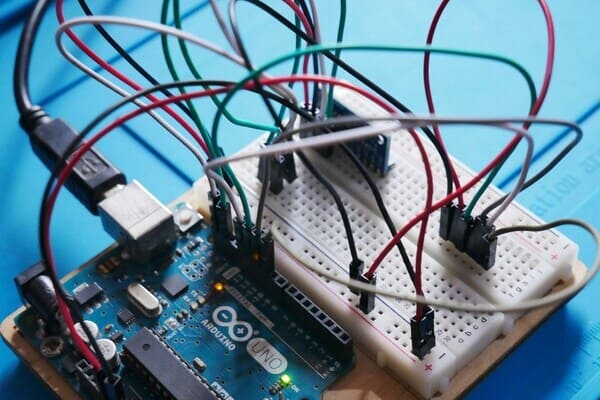
The safest way to turn an Arduino prototype into a PCB is to freeze a known-good prototype and convert it in controlled stages. Label every wire, save the firmware version, photograph the setup, and measure supply rails during startup and maximum load.
1. Create the Schematic
The schematic is the electrical source of truth for the Arduino PCB, so redraw by function instead of tracing breadboard wire positions. Label power and buses, assign connector pins explicitly, and show unused microcontroller pins.
Add a 100 nF ceramic decoupling capacitor beside each microcontroller supply pin and suitable bulk capacitance near the power entry or switched loads. Check regulator input range, current, dissipation, and capacitor requirements. Include programming, reset, ground, and critical-rail test points.
Run the electrical rules check, then compare the schematic net by net with the prototype. To turn the Arduino prototype into a PCB without importing mistakes, verify connector orientation, polarity, transistor pin order, I2C pull-ups, and functions already built into modules.
2. Choose Package Types
Package selection connects the design to parts that can be purchased and assembled. Choose the manufacturer part number first, then match its datasheet land pattern to the CAD footprint; a symbol name does not guarantee the correct pinout.
For hand assembly, 0805 passives are easier to handle than 0402, while SOIC or TQFP leads are easier to inspect than hidden pads. Print the Arduino PCB at 1:1 scale and place real connectors and large parts on it to catch pitch, body, and clearance errors.
3. Lay Out the PCB
PCB layout converts connectivity into current paths and physical interfaces. Set the outline, mounting holes, connectors, buttons, antennas, and sensors first.
Place the microcontroller next, with decoupling capacitors on the same side and close to supply pins. Keep the crystal loop short, separate analog signals from clocks and switching nodes, and preserve a continuous ground plane. Size power traces for current and give hot devices enough copper for heat spreading.
When you turn an Arduino prototype into a PCB, route only after placement forms a clear path from power input to outputs. Run design-rule checks using the fabricator's limits, inspect copper-to-edge spacing and polarity marks, and add pin labels and test points.
4. Generate Gerber Files and Order Your Boards
Gerber and drill files describe the finished Arduino PCB. Export copper, solder mask, silkscreen, outline, and drill data from one approved revision; assembly also needs a BOM and component-position file.
Open the exports in an independent viewer. Confirm dimensions, holes, layer alignment, mask openings, text readability, and that no layer was omitted. State board thickness, copper weight, surface finish, solder-mask color, and quantity in the order notes.
PCBgogo can fabricate the verified design and support assembly when BOM and placement data are included. Order a small first batch, inspect it, then power the first unit from a current-limited supply. Verify rails, reset, clock, programming, and interfaces before high-current loads.
Staged bring-up is the final step to turn an Arduino prototype into a PCB reliably. Record corrections in CAD, regenerate every output, and archive the approved build files.
PCBgogo - Reliable, High-Quality PCB Manufacturing
PCBgogo is a one-stop PCB and PCBA manufacturing factory, helping you save time and costs while ensuring consistent, reliable quality.
Get a Free Quote >
Conclusion
To turn an Arduino prototype into a PCB successfully, preserve the proven electrical behavior, simplify only with evidence, and verify each handoff from schematic to footprint, layout, manufacturing data, and bring-up. A disciplined Arduino PCB workflow costs less than debugging an undocumented board after production.
Frequently Asked Questions
Can I use an Arduino board schematic directly for my PCB?
Use it as a reference, but copy only the circuits your product needs and recheck every pin, value, and footprint. The final Arduino PCB must match your microcontroller, power source, interfaces, and programming process.
Do I need a bootloader on a custom Arduino PCB?
No. You can program through an in-system or debug interface, then optionally load a bootloader for serial or USB uploads. Expose the required programming pins and confirm their voltage.
Should my first board be two layers or four layers?
A simple low-speed Arduino PCB can often use two layers with a solid ground return. Four layers help when routing density, EMI control, or power distribution prevents a continuous ground plane on two layers.
What files are required to order the PCB?
Provide copper, solder mask, silkscreen, outline, and drill files. Assembly also requires a BOM and centroid file, plus clear polarity and orientation information.