日本語
日本語
 한국어
한국어

How to Read a PCB: A Beginner's Guide to the Parts That Make It Work
The first time you look at a populated board, it reads like noise — rows of tiny parts, none of them labeled in plain English. Give it twenty minutes and a bit of context, though, and the same board starts reading like a sentence: each part doing one specific job, wired to the next one in a logical order.
What's Actually Happening on a PCB the First Time You Look at One
A populated PCB is a map of small decisions — every part on it exists because the circuit needed that specific function at that specific spot, not because it looks technical.
The bare board is just copper traces sandwiched in fiberglass — think of it as pre-wired paths instead of loose jumper wires on a breadboard.
The parts are the actual verbs of the circuit — they're what limit current, store energy, switch a signal, or do the computing.
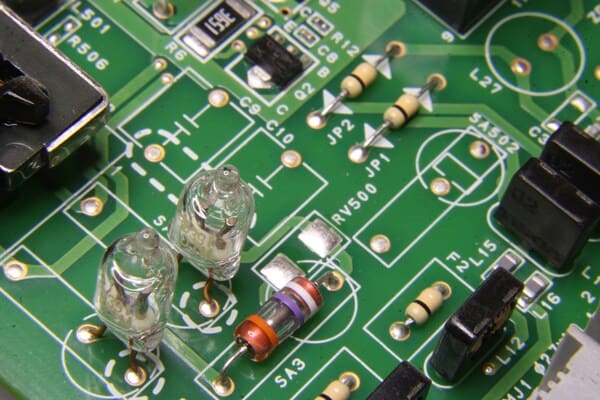
The silkscreen (the white printed labels) is the board's own instruction manual — every part has a printed reference designator sitting right next to it.
The Handful of Parts You'll See on Almost Every Beginner Project
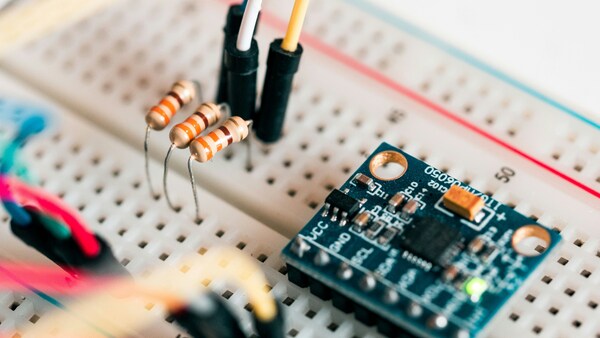
Most beginner projects, from an LED blinker to a simple sensor board, reuse the same short list of parts.
| Part | What It Looks Like | What It Actually Does |
|---|---|---|
| Resistor | Small cylinder with colored bands | Limits how much current flows through a path |
| Capacitor | Small disc or cylinder, sometimes with a stripe | Stores charge briefly, smooths out power noise |
| LED | Small dome, one leg longer than the other | Lights up when current flows in the correct direction |
| Diode | Small cylinder with a stripe on one end | Lets current flow only one way |
| Transistor | Small 3-legged plastic part | Switches or amplifies a signal |
| IC (chip) | Black rectangle with rows of pins | Packaged function — logic, memory, regulation |
| Connector/header | Row of pins or a plastic socket | Where cables or other boards plug in |
How These Parts Work Together: A Simple LED Circuit, Walked Through
The fastest way to understand PCB parts isn't a glossary — it's watching a few of them solve one real problem together.
Take the simplest circuit that shows up in almost every beginner kit: a battery, a resistor, and an LED. Connect the LED straight to a 9V battery with no resistor, and it burns out almost instantly — the LED has almost no resistance of its own, so current isn't limited and the die overheats. The resistor's job is to hold current down to a safe level.
Here's the actual math behind picking that resistor: a red LED typically has a forward voltage around 2V and wants roughly 20mA to run at normal brightness. With a 9V battery, the resistor needs to drop the remaining 7V at 20mA — that's 7V ÷ 0.02A = 350Ω. Since 350Ω isn't a standard value, you'd round up to the nearest common resistor, 360Ω or 330Ω, to stay on the safe side.
That's the entire logic behind component selection in miniature: figure out what the circuit needs electrically, then pick the part rated to deliver it.
Key Factors to Consider When Choosing PCB Parts
The resistor calculation above is really just one case of a bigger habit: picking a part means checking it against the circuit's actual demands, not just grabbing whatever's closest in the parts bin.
Voltage and current rating — the part needs headroom above what the circuit will actually put through it, not just enough to survive it exactly at the edge.
Package and mounting method — through-hole parts are far easier to hand-solder as a beginner; surface-mount saves space but gets fiddly below roughly 0805 size without extra tools.
Tolerance — a 5% resistor is fine for an LED current-limiter; a precision timing or measurement circuit may actually need 1% parts to behave predictably.
Temperature rating — matters more than beginners expect if the project sits in direct sun, inside an enclosure, or near a heat-generating part like a voltage regulator.
Availability and cost — sticking to standard, widely-stocked values keeps a project easy to source and cheap to replace; an obscure exact value can turn a $2 part into a supply-chain problem.
None of this requires memorizing a datasheet cover to cover — checking the rating, the package, and the pinout against what your circuit actually needs covers most of what matters at the beginner stage.
Reading the Board Itself: Refdes, Silkscreen, and Polarity Marks
Reference designators tell you the category before you even look up the part — R for resistor, C for capacitor, D for diode, Q for transistor, U for IC.
Polarity marks matter on anything that only works one direction — a stripe marks a diode's cathode, a longer leg marks an LED's positive side, a “–” marks an electrolytic capacitor's negative lead.
Silkscreen outlines show you where a part sits and which way it's oriented, even after the part itself is soldered down.
Mistakes Almost Every Beginner Makes With PCB Parts
Reversing a polarized part — an LED or electrolytic capacitor installed backward either won't work or, in the capacitor's case, can fail more dramatically.
Misreading the resistor color code — the color bands follow a standard sequence (per IEC 60062) where each color is a digit; misreading one band by a shade can put a value off by a full order of magnitude.
Static damage to ICs — many chips are sensitive enough that a static discharge from your hand can quietly damage them without any visible sign until the board doesn't work.
Cold solder joints — not enough heat or time on the joint leaves it looking soldered but not actually electrically connected, which is one of the most common reasons a first board “doesn't work” with no obvious cause.
From Breadboard to Real PCB: What Changes Once You Order a Board
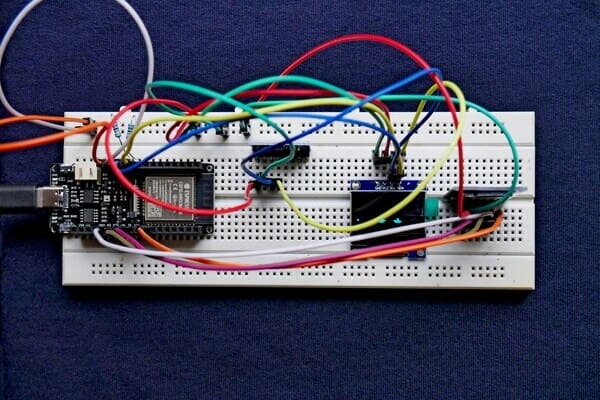
A breadboard is great for testing an idea and terrible for trusting it. The same circuit that works fine on the bench often behaves differently once it's soldered onto an actual board.
Connections stop being loose — no more intermittent contact from a jumper wire working its way out of a breadboard hole.
Layout stops being improvised — trace length and part placement on a real PCB are fixed and repeatable, which matters once a circuit needs to run reliably.
Mistakes get more expensive to fix — which is exactly why checking part footprints and orientation before ordering matters more on a real board than on a breadboard.
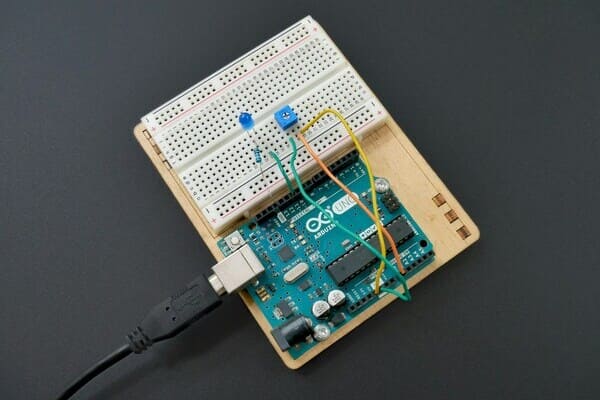
What Happens When Your Circuit Moves From a Temporary Setup to a Real PCB
A circuit built on a temporary test board can work. But it's more like a quick experiment. Loose wires hold it together. When you start thinking about turning it into a real PCB, the goal changes. It's no longer just "does it work." It becomes "can it run reliably, get built the same way every time, and actually be delivered?"
This shift usually isn't dramatic. You just want to take a circuit you've already tested and turn it into a solid board. One that doesn't depend on loose wires. One that won't randomly disconnect. One you can use again and again.
But once you start designing and ordering, real problems show up fast. Is the part shape correct? Are any connections reversed? Is the layout sound? Can you actually buy the parts you need? Will soldering go smoothly?
Don't worry. This is exactly the stage where PCBgogo can help.
From Design to Production: What PCBgogo Offers
When you're ready to hand your design to a factory, the real goal isn't just "making the board." It's avoiding costly mistakes and getting it right the first time. This matters most if it's your first time making a PCB.
PCBgogo has provided PCB manufacturing and assembly services since 2013. Over the years, we've built solid, reliable processes across prototyping and small-batch production for many types of electronics. Here's how we can support you, whether you're testing an idea or scaling up:
Small-batch prototyping, starting at just 5 boards
You don't need to commit to a large order right away. Starting at just 5 boards lets you check your design first. And when you're ready to scale up, the same process supports larger orders too. If something needs fixing, you can adjust quickly at low cost — no need to start over.
PCB making + assembly in one service (SMT / THT / mixed methods)
Skip the hand-soldering. We place the parts for you. Once your board arrives, you can power it on and test right away — fewer things to troubleshoot.
Pre-production design check (DFM review)
Before production starts, we check for common design problems — part orientation, pad size, spacing, and whether it can actually be built. This helps avoid a frustrating outcome: a design that looks fine on screen but doesn't work once made.
Help finding and buying parts
Bring your own parts, or let us help source them for you. This is especially useful early on, when your parts list isn't complete yet.
Checks before shipping
Before your order ships, we run basic quality checks. This lowers the chance that a factory mistake gets confused with a design flaw.
If you're ready to move your test circuit toward a real PCB, reach out to us. We'll help you figure out the best approach for your specific design, so your first order goes smoothly.
Frequently Asked Questions
Do I need to know how to read a schematic before I design a PCB?
Yes, at least at a basic level. A schematic shows how the parts should connect logically; the PCB layout shows where they physically sit. Most beginners sketch or capture the schematic first, then lay out the board around it.
What's a good first PCB project for a beginner?
Something with under 10 parts and no tight timing requirements — an LED blinker, a simple audio amplifier, or a sensor breakout board are common first projects because a mistake is cheap to diagnose and fix.
Can I hand-solder both SMT and through-hole parts as a beginner?
Through-hole is much easier to start with — a standard iron and a bit of patience is all it takes. Surface-mount is doable by hand starting around 0805 package size or larger, but very small SMT parts or fine-pitch ICs really need hot air rework tools or a professional assembly service.
How many boards should I order for a first PCB design?
Most beginners order more than one on the first run — a reversed footprint or a missing via is common enough that having 3–5 spares means a mistake doesn't mean starting completely over.
What's the minimum order quantity for a small-batch PCB run?
It varies by manufacturer, but many prototype-focused services accept orders as small as 5 boards — enough to test a design properly without committing to production-scale volume.