日本語
日本語
 한국어
한국어

Custom PCB for Your Handheld Gaming Console Complete Guide
KEY TAKEAWAYS A custom handheld game console PCB succeeds when input, display, audio, battery, and manufacturing files are designed as one system. Start with a defined power budget and interface map, place noise-sensitive circuits deliberately, then release a package a fabricator can check without guessing.
Key Takeaways
-
Freeze the display, battery, processor, and control interfaces before routing so the board outline and layer count reflect real constraints.
-
Keep switching power loops compact and keep audio, display, and button signals away from their high-current return paths.
-
Treat the BOM, Gerber set, drill data, assembly drawings, and pick-and-place data as one controlled release, not as separate afterthoughts.
-
Use a manufacturability review before fabrication to catch footprint, panelization, test, and sourcing risks while changes are still inexpensive.
A handheld gaming console is compact enough that one misplaced regulator or poorly chosen connector can turn a promising prototype into a noisy, hot, or hard-to-assemble product. The board has to manage fast digital edges, rechargeable-battery behavior, speaker current, a bright display, and repeated button presses in a very small volume.
This guide follows the handoff sequence from schematic decisions through PCB production.
Step 1: Design the Handheld Game Console PCB
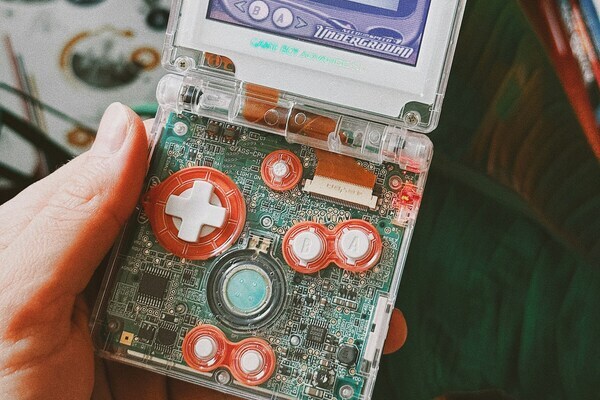
Handheld game console PCB design begins by turning the user experience into an electrical interface list: computing, display, controls, audio, storage, charging, debugging, and expansion. Choose the processor or module only after confirming display protocol, memory needs, operating system load, available GPIO, and peak current; a capable processor with insufficient pins or an unsupported screen creates avoidable redesign work.
Use a schematic and PCB tool with managed symbols, footprints, design-rule checks, and versioned outputs. Create a block diagram first, then divide the schematic into functional sheets: battery and charging, power rails, processor and memory, display, audio, controls, and connectors. Name nets by purpose, such as LCD_SPI_SCK or BTN_A, rather than by a generic number. This makes review, firmware bring-up, and fault isolation faster.
Before routing, lock the mechanical envelope. Record board dimensions, screw bosses, display area, battery clearance, speaker chamber, USB reach, button travel, and enclosure walls. A 1.6 mm rigid FR-4 board is a common starting point, but thinner boards may be needed when stack height is tight.
Design checkpoint before placement
The first placement review should confirm what each interface needs physically and electrically. The table below turns common console subsystems into PCB decisions that can be checked before copper is routed.
| Subsystem | Early decision | PCB implication |
|---|---|---|
| Display | Protocol, connector position, backlight current | Reserve a controlled return path and keep the connector accessible to the enclosure. |
| Battery | Cell type, protection, charge current | Separate high-current battery path from sensitive signal areas. |
| Controls | Button count, joystick type, haptic option | Place switch footprints to match the enclosure and user reach. |
| Audio | Speaker, headset, amplifier topology | Keep analog paths short and isolate them from switching nodes. |
| Service | USB, reset, programming, test pads | Expose service points without dismantling the whole product. |
Once these decisions are frozen, placement can support the physical product instead of fighting it later.
Step 2: Plan the Handheld Game Console PCB Layout
Handheld game console PCB layout should place components by current flow and user-facing geometry, then route from the noisiest and most constrained interfaces outward. Put the display and button connectors where the enclosure requires them, place the processor close to its memory and clocking components, and position battery, USB, and charging parts near their entry points. Keep the audio amplifier close to the speaker connector, but do not trap it between a switching regulator and a display flex cable.
A four-layer stackup is usually a practical starting point for a console that combines a processor, display interface, battery charging, and audio. Assign one uninterrupted inner layer primarily as ground, use the other for power distribution, and route most signals on the outer layers. A continuous reference plane gives fast signals a low-inductance return path.
-
Keep decoupling capacitors on the same side as the IC and place the smallest capacitor nearest the relevant power pin.
-
Route clocks, USB, display data, and other fast lines over continuous ground. Avoid unnecessary vias and avoid routing across plane gaps.
-
Make the battery and speaker-current traces wider than logic traces, then verify their width against copper weight, current, and temperature rise.
-
Leave clear tooling, fiducial, and test-pad areas early. A board that fits electrically can still be awkward to assemble or test.
This placement discipline also makes the next decision, power architecture, much easier to validate.
Step 3: Build a Stable Power Design
Power design for a handheld game console PCB must supply the processor and backlight during peak activity without allowing battery noise or voltage droop to reset the system. Start with a rail budget that lists typical and peak current for every rail, including display backlight, audio bursts, wireless transmit events if present, and USB-powered charging behavior. Do not size a regulator only from a typical current figure.
For a single-cell lithium battery, protect the cell according to the selected battery pack and use a charger designed for the cell chemistry and input source. Place input capacitors close to charger and regulator pins. Keep each buck converter's input capacitor, switch node, inductor, output capacitor, and ground return in a compact loop. The switch node should be short and should not run beneath audio, control, or display traces.
Separate rails by function where the processor requires it, such as a clean analog rail for audio. Do not cut the ground plane into islands. Add voltage and ground test pads for critical rails so bring-up can confirm ripple, startup order, and brownout behavior.
Step 4: Deliver High-Quality Audio and Video
High-quality audio and video output comes from controlled signal paths, a stable power source, and mechanical choices that match the chosen display and speaker. For the display, follow the controller requirements for interface length, series termination where needed, impedance targets when specified, reset timing, and backlight supply. Keep display signals grouped and reference them to ground; keep the flex connector away from sharp board edges and allow the cable bend radius required by the enclosure.
For audio, decide whether the console needs a simple mono speaker, stereo speakers, a headset path, or all three. Keep the codec or DAC, amplifier input network, and related passives together. Route low-level analog inputs away from inductor fields, switching nodes, display clocks, and USB lines. If a class-D amplifier is used, follow its output filtering and routing guidance, keep the output pair together, and place the speaker connector near the amplifier to reduce the loop area.
Bench validation should include a quiet-screen test, full brightness, charging while playing, and maximum-volume playback. Listen for whine that changes with backlight brightness or processor load, then check power rails and return paths before changing software gain.
Step 5: Design Controls for Reliable Play
Controller design for a handheld game console PCB must balance electrical robustness with button feel, alignment, and repeated mechanical loading. Choose tactile switches, conductive-rubber contacts, membrane contacts, or joystick modules based on the enclosure mechanism and target feel. Verify the footprint against the exact component drawing, including actuator height, locating pegs, keepout zones, and soldering side.
For matrix-scanned buttons, map rows and columns deliberately and confirm the firmware scan method prevents ghost inputs. Add pull resistors where the processor does not provide reliable internal configuration during boot. Route button lines away from the noisiest switching area, but do not overengineer slow inputs as though they were high-speed buses. Short traces, a clean ground reference, and firmware debouncing are generally more valuable than complicated routing.
Place the D-pad, action buttons, shoulder buttons, start and select controls, and joystick modules against the enclosure coordinates rather than against an arbitrary board grid. Include a mechanical test coupon or an early fit-check board when the shell is new. A control layout that works in CAD but places a switch 0.3 mm off its actuator center can feel defective to the player.
Step 6: Release the BOM, Gerber Files, and Production Package
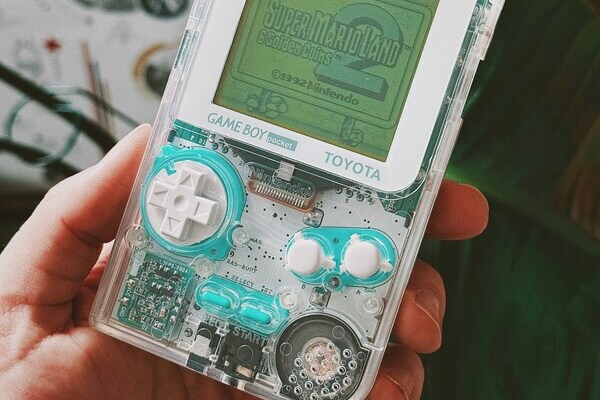
A production release for a handheld game console PCB is a controlled package that tells the manufacturer what to fabricate, assemble, inspect, and test. Gerber files alone describe copper and marking layers, but they do not reliably communicate component substitutions, assembly polarity, board finish, panel constraints, or test expectations. Release all files from the same approved design revision and give them a clear revision identifier.
The manufacturing handoff should include the fabrication drawing, Gerber or IPC-2581 data, drill files, layer stackup, board outline, solder-mask and silkscreen data, BOM with manufacturer part numbers, centroid data, assembly drawing, and test notes. Add a readme with quantity, board thickness, surface finish, impedance requirements, panel preference, and acceptance criteria.
| Release item | What it controls | Practical check before upload |
|---|---|---|
| Fabrication data | Copper, mask, silkscreen, drill, outline | Open in a viewer and confirm every layer aligns to the outline. |
| BOM | Approved parts and quantities | Check lifecycle, package, polarity, and alternate-part policy. |
| Centroid data | Component location and rotation | Compare several polarized parts with the assembly drawing. |
| Assembly drawing | Placement, connectors, notes | Confirm reference designators are readable and complete. |
| Test notes | Power-up and functional checks | Define rails, programming access, display, audio, and button tests. |
Run a final DRC, ERC, and footprint-to-datasheet review before release. Then order a small pilot build before committing to a large run, because pilot assembly reveals enclosure tolerances, connector reach, thermal behavior, and programming time that CAD cannot fully show.
Why PCBgogo Fits a Gaming Console PCB Build
PCBgogo fits a gaming console PCB build when the project needs a manufacturing partner to review fabrication and assembly details before those details become production defects. The useful point is not a broad promise. It is the practical handoff: submit a complete, revision-controlled data package, state the board and assembly requirements clearly, and use the manufacturer's DFM feedback to resolve issues such as annular rings, solder-mask clearance, component orientation, panel break-off locations, and test access.
For a handheld console, focus the review on fine-pitch display connectors, battery and USB connector strain, exposed test pads, button alignment, thermal relief around high-current pads, and programming access. Close each finding in the same revision log used by electrical and mechanical teams so the board, enclosure, and factory release stay aligned.
PCBgogo - Reliable, High-Quality PCB Manufacturing
Save time and money with an all-in-one solution for PCB fabrication, assembly, and parts. Reduce vendor coordination, avoid split shipments, and get consistent, reliable quality.
Get Free Quote >
Conclusion
A dependable handheld game console PCB is designed as a coordinated product: mechanical constraints set placement, placement protects signal and power integrity, and a complete release package protects production quality. Build and test a pilot unit, incorporate the findings into the controlled files, and only then scale the order.
Frequently Asked Questions
How many layers does a handheld game console PCB need?
A simple low-speed console may fit on two layers, but a four-layer PCB is often the safer choice when a processor, display interface, rechargeable battery, audio, and USB are all present. The internal ground plane improves return paths and makes routing less compromised.
What should I test before approving a console PCB for production?
Test charging, peak gameplay load, display brightness changes, audio at maximum volume, every button and joystick direction, USB operation, sleep and wake behavior, and enclosure fit. Repeat the tests on more than one assembled unit so a single good prototype does not hide a tolerance problem.
Should the audio ground be separated from the digital ground?
Usually, no large ground split is needed on a compact handheld console. Keep a continuous reference plane and reduce noise through component placement, compact converter loops, local filtering, and careful routing around analog inputs.
What makes a BOM ready for PCB assembly?
An assembly-ready BOM identifies each approved component by reference designator, quantity, manufacturer part number, package, and any acceptable alternatives. It should match the schematic and centroid file revision exactly, especially for polarized parts and connectors.
How can I prevent button alignment problems?
Base button footprints on the actual switch or contact drawing and locate them from enclosure datums, not only from neighboring PCB components. Make an early fit-check build and inspect actuator centering, travel, and return force before locking the tooling.