日本語
日本語
 한국어
한국어

CNC Routing: Process, Materials, Costs and Practical Tips
QUICK ANSWER CNC routing is a computer-controlled cutting process in which a high-speed rotating bit follows programmed toolpaths to cut, pocket, drill, or engrave sheet and panel materials. It is best suited to wood, plastics, foam, composites, and some nonferrous metals when fast, repeatable, large format production matters.
What Is CNC Routing and When Does It Make Sense?
CNC routing is a subtractive manufacturing method that turns a digital design into a physical part by removing material with a rotating cutter. The machine moves along X, Y, and Z axes, while 4-axis and 5-axis systems add rotary movement for wrapped features or multiangle surfaces. Unlike manual routing, the position, depth, feed rate, and cutting sequence are controlled by a program.
The process makes the most sense for relatively flat parts, large sheets, repeated profiles, decorative carving, and nested production. Common examples include cabinet panels, signs, display components, furniture parts, packaging inserts, architectural screens, jigs, and functional prototypes. A router can also machine aluminum when the frame, spindle, workholding, tool, lubrication strategy, and chip evacuation are suitable.
How Does the CNC Routing Process Work?
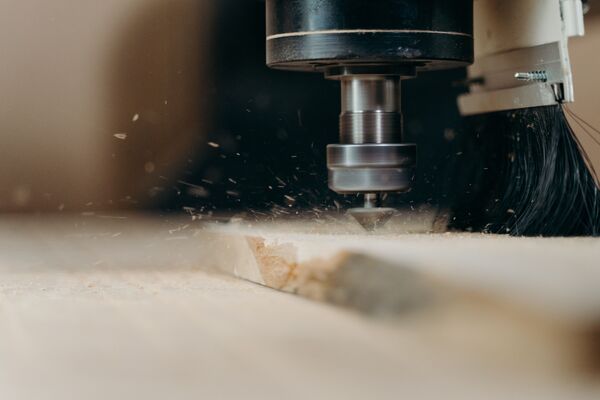
The CNC routing process connects CAD geometry, CAM toolpaths, setup, cutting, and inspection. Autodesk explains that CAM software converts CAD designs into instructions that CNC equipment can execute. Six stages shape the result.
Create clean geometry: Build a 2D drawing or 3D model with closed profiles, correct units, and no duplicated lines. Add a drawing when tolerances, grain direction, or finish need control.
Generate toolpaths: Use CAM software to select tools and define profiling, pocketing, drilling, engraving, or 3D contouring. The post processor produces code for the machine controller.
Prepare and hold the stock: Measure thickness and secure the sheet with clamps, vacuum, screws in waste areas, or a fixture. Poor hold-down can cause chatter, error, or a released part.
Set tools and zero points: Install the bit, confirm tool length, and establish the work origin. Surface the spoilboard when flatness affects depth consistency.
Prove the program: Check clearances, simulate the job, and run a safe test or air cut. Confirm speed, feed, depth per pass, tabs, and lead-in moves before production.
Cut and inspect: Monitor sound, chips, dust, tool wear, and workholding. Measure critical features on the first part before repeating the batch.
Which Materials and Operations Fit CNC Routing?
CNC routing works best when the material can be cut cleanly at high spindle speed and supported securely across the machine bed. Material behavior influences bit geometry, chip load, heat, dust, finish, and the number of passes.
| Material group | Typical operations | Key process concern |
|---|---|---|
| Wood, plywood, MDF | Profiles, dados, pockets, carving | Grain tearout, dust, sheet flatness |
| Acrylic and plastics | Signs, panels, enclosures, engraving | Heat, melting, chip evacuation |
| Foam and modeling board | Prototypes, molds, packaging inserts | Part support, debris, fine features |
| Composites and laminates | Panels, skins, decorative components | Abrasive wear, delamination, hazardous dust |
| Aluminum and brass | Panels, plates, shallow pockets | Rigidity, lubrication, recutting chips |
Core operations include profiling, pocketing, slotting, drilling, engraving, surfacing, chamfering, and 3D contouring. Because router tools are round, sharp internal corners need relief features or a secondary process.
How Is CNC Routing Different From Milling and Laser Cutting?
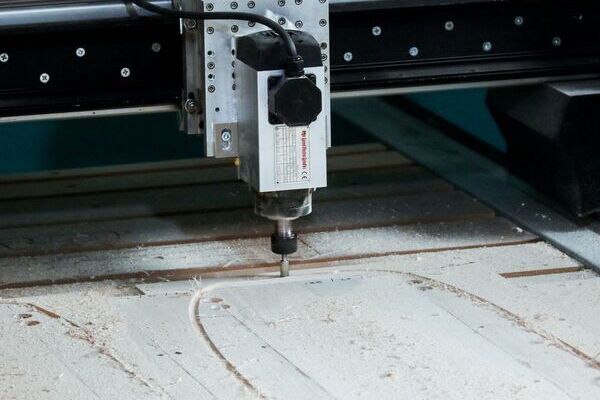
CNC routing prioritizes large work areas and high-speed cutting, while CNC milling prioritizes rigidity and controlled metal removal. Laser cutting uses a focused beam rather than a physical bit, so process selection should follow the material, thickness, edge requirement, and geometry.
Choose CNC routing: for large wood, plastic, foam, composite, or light metal stock that needs profiles, pockets, drilling, relief, or nested sheet production.
Choose CNC milling: when hard metal, deep pockets, rigid setups, tight geometric control, or substantial cutting force dominates the requirement.
Choose laser cutting: when thin flat stock, narrow kerfs, fine 2D detail, and no mechanical cutting force are priorities. Heat and material safety can limit its use.
How Do You Choose Router Bits and Cutting Parameters?
Router bit selection should follow the material, required feature, preferred edge, and chip evacuation direction. A small tool reaches finer details but is less rigid, while a larger tool removes material faster and generally resists deflection better.
Upcut spiral: pulls chips upward and clears deep slots well, but it can lift fibers or mark the top face of laminated stock.
Downcut spiral: pushes chips downward and protects the top face, but deep cuts need enough room to prevent packed chips and excess heat.
Compression bit: combines upward and downward cutting action to reduce tearout on both faces of plywood or laminated panels when the cutting depth engages both flute directions.
V bit and ball nose: serve different detail work. V bits create lettering and chamfers, while ball nose tools produce smoother three-dimensional contours with a small stepover.
Feeds and speeds should come from the tool maker, machine builder, or a validated shop process, then be confirmed with a test cut. Fine chips may signal rubbing, while vibration may indicate excessive engagement, weak workholding, runout, or insufficient rigidity.
What Determines CNC Routing Quality, Cost, and Lead Time?
CNC routing cost and quality are driven by setup, cutting time, material yield, tool wear, finishing, and inspection. Unit price often falls when one setup is spread across more parts.
Geometry and depth: Deep pockets, thin walls, tiny cutters, sharp internal corners, and dense 3D surfaces increase toolpath time and risk. Matching radii to standard tools can simplify production.
Tolerance and finish: Tighter requirements demand stability, finishing passes, and more inspection. Apply close tolerances only to functional features.
Nesting and workholding: Efficient nesting improves sheet yield, but parts still need adequate spacing, hold-down area, and a release strategy. Tabs or an onion skin pass can keep small parts from moving before the final cut.
Secondary work: Sanding, deburring, painting, inserts, assembly, and packaging may take longer than routing. Include them before quoting.
A sound estimate separates setup from machine time, material, tooling, finishing, inspection, and delivery so competing quotes are easier to compare.
What Safety Controls Matter in CNC Routing?
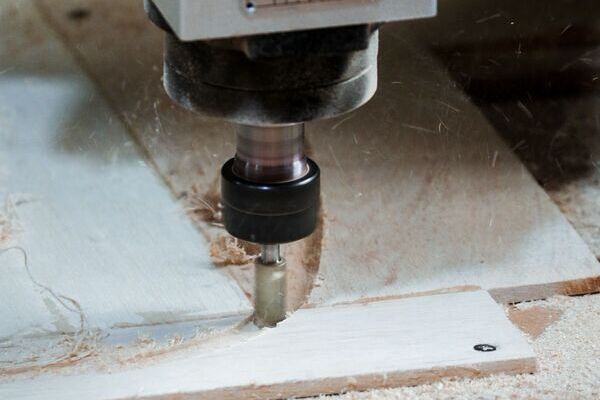
CNC routing safety depends on controlling moving machinery, released workpieces, dust, chips, noise, and material-specific emissions. Enclosures, guards, interlocks, correct workholding, local exhaust ventilation, emergency stops, maintenance, training, and appropriate personal protective equipment should be part of the process plan.
OSHA identifies local exhaust ventilation as the primary way to capture wood dust at or near its source. NIOSH sets a recommended occupational noise exposure limit of 85 dBA averaged over eight hours. These figures are not a substitute for a site-specific risk assessment, exposure measurement, applicable regulations, machine instructions, and the safety data for the material being cut.
Before routing an unfamiliar plastic or composite, confirm that machining will not create unacceptable dust, fumes, fire risk, or tool damage.
What Should You Send to a CNC Routing Supplier?
A complete CNC routing request for quote should define the design, material, quantity, quality expectations, and delivery need in one revision-controlled package. The goal is to remove ambiguity before programming begins.
Digital files: Provide a clean DXF or DWG for 2D work, or suitable 3D CAD for contoured surfaces. Identify the master revision.
Material specification: State the exact material, grade, thickness, color, grain or face orientation, and whether the supplier or buyer provides stock.
Critical requirements: Add a drawing for controlled dimensions, tolerances, edge conditions, hole requirements, cosmetic faces, and inspection points.
Commercial details: List quantity, finishing, packaging, delivery location, and requested date. Ask the supplier to flag cost or schedule risks.
Review a first article when fit, appearance, or assembly is important, and keep the part, drawing, model, and order on the same revision.
Why Choose PCBgogo for CNC Machining?
PCBgogo helps engineers and product developers move efficiently from digital designs to finished CNC machined parts. Its streamlined service model supports prototyping, design validation, and low-to-medium volume production.
Manufacturability support: The engineering team can review CAD files, drawings, tolerances, materials, and surface finish requirements before production, helping identify potential machining risks early.
Flexible production volumes: PCBgogo can support early prototypes, functional test parts, and repeat production orders, allowing customers to scale without changing suppliers.
Material and process flexibility: Customers can select materials and machining options according to the part’s mechanical performance, appearance, operating environment, and budget.
Quality-focused production: Defined inspection requirements, controlled manufacturing processes, and clear technical specifications help improve dimensional consistency and repeatability.
Efficient project management: A coordinated quotation, production, inspection, and delivery workflow reduces communication gaps and gives customers better visibility throughout the project.
Submit your 3D CAD model, technical drawing, material specification, quantity, and finishing requirements to PCBgogo for a manufacturability review and project-specific CNC machining quotation.
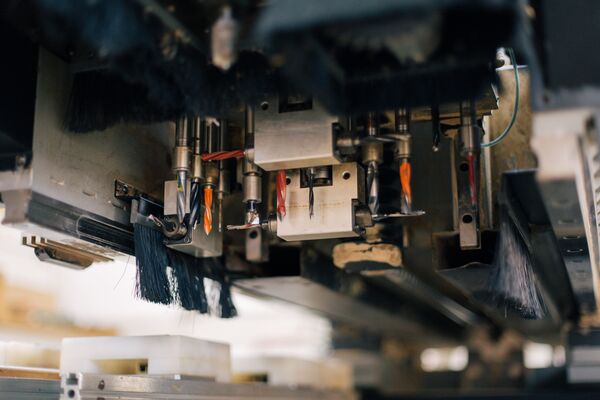
Plan CNC Routing Around the Finished Part
CNC routing delivers the most value when large format capacity, repeatable digital control, and flexible material removal match the part requirement. Start with the material and function, design for accessible tools and secure workholding, validate feeds and speeds, and make inspection part of the workflow. A clear data package and realistic requirements will improve both the quote and the finished result.
Frequently Asked Questions About CNC Routing
Can a CNC router cut aluminum?
Yes, a sufficiently rigid CNC router can cut aluminum with appropriate tooling, conservative engagement, secure workholding, lubrication or air strategy, and effective chip evacuation. Precision metal parts with deep features or demanding tolerances may be better suited to a CNC mill.
How accurate is CNC routing?
Accuracy depends on machine construction, calibration, tool runout, stock stability, workholding, cutter deflection, temperature, and inspection method. Do not treat a generic tolerance from an article as a guaranteed capability for every material and geometry.
What software is required for CNC routing?
Most workflows use CAD software to create geometry and CAM software to generate toolpaths and machine code. A controller then interprets that code, while simulation and verification tools reduce setup risk.
What is the best file format for CNC routing?
DXF is common for 2D profiles, while STEP or another supported solid format is useful for 3D work. The best format is the one the supplier can import reliably without losing scale, layers, curves, or revision control.
Is CNC routing economical for one part?
It can be, especially when no dedicated tooling is required, and the part uses readily available sheet stock. Programming, setup, material minimums, and finishing may dominate the price of a one-off job.