日本語
日本語
 한국어
한국어

Convert PDF to Gerber and NC Drill formats
Converting PDF to Gerber
The PDF and Gerber file formats are very similar. PDF commands move a pen from point to point, drawing lines and changing stroke weights. Similarly, Gerber commands move a photoplotter head around a circuit board, exposing lines and changing apertures. The concept is the same, but the grammar is different.
For example, the PDF command “350 450 m” moves the pen to coordinate (350, 450). The Gerber equivalent is “X350Y450D02”. “.5 w” changes the PDF stroke weight; “G54D10” changes the Gerber aperture.
PDFs are not PCB design files, but usually images or vector graphics. So it is indispensable to reconstruct the PCB data with PDF to Gerber Coverters. There are 2 major methods to generate Gerber Files.
1. Convert PDF to a PCB Design File
Import the PCB layout into a PCB design tool. If your PDF is vector, open the PDF in Adobe Illustrator, Inkscape(Free), or CorelDRAW and export to DXF or SVG, which many PCB tools can import. If your PDF is raster(image), try the second method ------Use a PCB CAD tool.
2. Import to a PCB CAD Tool
Convert PDF pages to high-resolution PNG or TIFF, which are supported by tools like KiCad, Altium Designer, EasyEDA, or Fusion PCB. Generate Gerber Files in PCB CAD tools and export in RS-274X Gerber format.
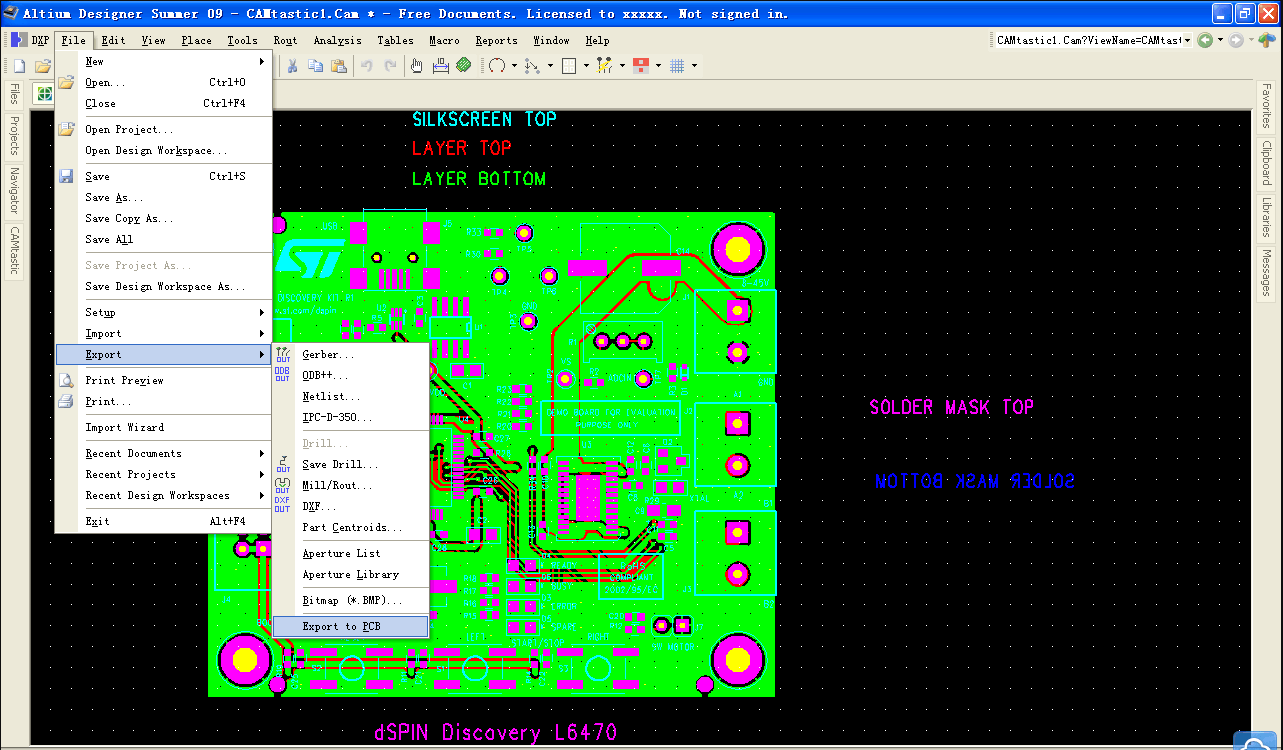
Use a Gerber viewer to verify the generated Gerber file. PCBGOGO holds our online Gerber viewer for free.
Share a video of Convert PDF to PCB Gerber data – YouTube: https://www.youtube.com/watch?v=OYGJ-N3mrsc
Converting PDF to NC Drill
Convert PDF to NC drill file for the vias and through-holes. An NC (aka Excellon) Drill file specifies drill coordinates and diameters for the circuit board. some pdf pcb design represent each drill hole as a solid white circle placed atop the corresponding solder pad (a solid black circle).
Generate NC Drill Files after Gerber export and select units, precision, and tool table settings.
Suggest the PCBGOGO for your PCB manufacture service: Instant Online Quote or Quick Contact to service@pcbgogo.com